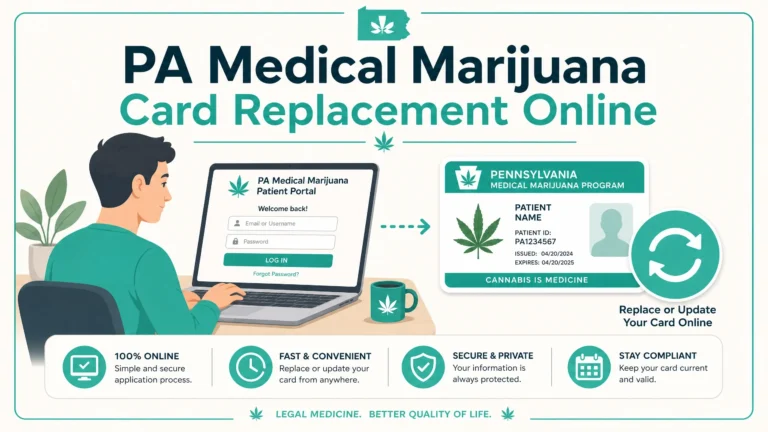

Lost, stolen, or damaged your Pennsylvania medical marijuana card? You need a PA medical marijuana card replacement online — and the good news is the process is entirely digital, handled through the Pennsylvania Medical Marijuana Registry portal, and does not require a new physician certification or a new state registration.
But before you log in and click submit, there is one critical warning that most guides bury or skip entirely: the moment you request a replacement, your existing card is permanently deactivated. Even if you find the original card an hour later, it will not work at a dispensary. Read this guide completely before taking action — especially if there is any chance your card is simply misplaced rather than truly lost.
This guide covers everything Pennsylvania MMJ patients need to know about replacing their card in April 2026 — the exact steps, the costs, the temporary card option that keeps you dispensary-ready while you wait, and every scenario that complicates the process.
Replacement vs. Renewal — Understanding the Difference First

Before anything else, confirm you actually need a replacement — not a renewal. These are two completely different processes, and confusing them is one of the most common mistakes Pennsylvania MMJ patients make.
Replacement is what you need when:
- Your card is lost — you cannot find it
- Your card is stolen
- Your card is damaged — physically broken, unreadable, or defaced
- Your card was never delivered by mail after being issued
- Your card has been demagnetized or the barcode is unreadable
Renewal is what you need when:
- Your card is expiring or has recently expired
- Your physician certification has expired and needs to be updated
- You are approaching your annual card fee due date
Replacement does not reset your certification timeline. Your existing physician certification and card validity dates remain unchanged — you simply receive a new physical card with the same expiration date as the one being replaced. According to MMJ Advocate Doc’s patient FAQ: “The clock doesn’t reset; you won’t lose any time with your current card.”
If your card is close to expiring — within 60 days — and it is also lost or damaged, you should evaluate whether renewing rather than replacing makes more practical sense. A renewal through your physician and a new state registration produces a fresh card with a new one-year validity period. Replacing a card that expires in three weeks gives you a replacement valid only for three weeks.
Quick rule: If your card expires in more than 60 days — replace it. If it expires in 60 days or fewer — consider renewing instead and discuss timing with your certifying physician.
For questions about your specific qualifying condition or to start a renewal, visit our qualifying conditions page or get started here.
The Critical Warning Before You Request a Replacement

This is the single most important thing to understand before you take any action — and most guides either bury it or skip it entirely.
As soon as you submit a replacement card request through the PA Medical Marijuana Registry portal, your existing card is permanently and immediately deactivated.
This is confirmed directly by the Pennsylvania Department of Health’s official patient FAQ: “As soon as you request a replacement, your old card will be deactivated for security reasons and will no longer work even if you find it.”
What this means in practice:
- If your card is somewhere in your house and you think you might find it — search thoroughly before requesting a replacement. Once you submit the request, finding the original card is irrelevant. It is electronically deactivated and dispensaries will reject it.
- If your card was stolen — request the replacement immediately. Deactivation protects you from someone else using your card at a dispensary.
- If your card simply fell out of your wallet at home — give yourself 24 hours to look before submitting the replacement request.
Why the immediate deactivation exists: The PA MMJ patient ID card is a secure medical document. Immediate deactivation upon replacement request prevents fraudulent use of a card that may have been stolen, sold, or otherwise misappropriated. It is a patient protection feature — but it catches many patients off guard when they find their original card after already requesting a replacement.
Once your replacement card arrives by mail and is activated in your account, it becomes your valid patient ID. The replacement card carries the same patient information and the same expiration date as the card it replaces.
Who Can Request a PA MMJ Card Replacement Online?

The online replacement process is available to:
- Currently registered PA medical marijuana patients with an active patient account in the Pennsylvania Medical Marijuana Registry
- Registered caregivers — through their caregiver account (slightly different process — covered in Section 12)
You must have an active account with a current physician certification on file. If your certification has expired, the replacement process is not available — you would need to renew your certification first.
You do not need to:
- Report the loss or theft to police before requesting a replacement
- Contact the PA Department of Health before submitting online
- Provide proof that the card was lost or stolen
According to Pennsylvania State Cannabis: “Registered patients do not need to report stolen or lost medical marijuana cards in Pennsylvania.” The online process is self-service and does not require any documentation of how the card was lost.
However, if you believe your card was stolen and you are concerned about identity theft or fraudulent use at a dispensary, you can additionally contact the PA MMJ helpdesk at 888-733-5595 (7AM–9PM ET, seven days a week, excluding state holidays) to flag your account.
What Does a PA MMJ Card Replacement Cost in 2026?

The Pennsylvania Department of Health charges a replacement fee that depends on how many times you have previously replaced your card:
| Replacement Number | Cost |
|---|---|
| First replacement ever | $25 |
| Second replacement and beyond | $50 each |
This fee structure is confirmed by the PA Department of Health official patient FAQ and Pennsylvania State Cannabis.
Key points about the replacement fee:
The replacement fee is separate from and in addition to your annual card registration fee. Paying a replacement fee does not reset or change your annual card fee due date. The replacement fee covers only the cost of issuing the new physical card.
Payment is made through the PA Medical Marijuana Registry portal during the replacement request process — the same portal where you manage your patient account. Accepted payment methods include major credit and debit cards.
Strategic note: The fee structure is designed to discourage repeated replacements. If you have already replaced your card once and need another replacement, the $50 fee equals the full annual registration fee. This underscores the importance of protecting your card carefully — covered in Section 14 — and taking advantage of the digital card option described in Section 7 to reduce reliance on the physical card.
Can You Get the Replacement Fee Waived Through MMAP?
This is something almost no competing guide addresses — and it matters for qualifying low-income patients.
Pennsylvania’s Medical Marijuana Assistance Program (MMAP) provides fee waivers for patients enrolled in qualifying Commonwealth financial hardship programs: Medicaid, CHIP, PACE, PACENET, SNAP, and WIC.
According to MMJ.com’s replacement guide: “Patients enrolled in Department of Human Services Public Assistance programs may qualify for fee waivers” for replacement cards.
If your annual registration fee was already waived through MMAP, your replacement card fee may similarly be waived upon verification of your qualifying program enrollment. When you reach the payment step in the replacement request process, the system should recognize your MMAP status and apply the waiver — the same way it does for the annual registration fee.
If the fee is not automatically waived during your replacement request: Contact the PA MMJ helpdesk at 888-733-5595 before completing payment to clarify whether your MMAP enrollment covers the replacement fee. Do not complete payment if you believe you qualify for a waiver — it is difficult to obtain a refund after the fact.
How to Request a PA Medical Marijuana Card Replacement Online — Step by Step

Here is the complete, precise process for requesting a PA medical marijuana card replacement online through the Pennsylvania Medical Marijuana Registry portal, verified as of April 2026:
Step 1 — Read the Critical Warning in Section 2 First
Before logging in, confirm you have genuinely lost, had stolen, or damaged your card beyond use. Remember: submitting the request permanently deactivates your existing card. Take this step only when you are certain.
Step 2 — Log Into the PA Medical Marijuana Registry Portal
Go to the official Pennsylvania Medical Marijuana Registry portal at: padohmmp.custhelp.com
Enter your username and password. Both are case-sensitive — if you are having trouble logging in, verify your capitalization exactly. If you have forgotten your password, use the “Forgot Password” link to reset via your registered email address.
If you cannot access your account at all — wrong email, forgotten username, or locked account — contact the PA MMJ helpdesk at 888-733-5595 before proceeding. Do not create a new account.
Step 3 — Navigate to Profile Settings
Once logged in, locate and click the “Profile Settings” tab in the navigation menu of your patient account.
According to both Pennsylvania State Cannabis and the PA Department of Health official FAQ, the replacement card request is found within the Profile Settings section.
Alternatively, look for a “Card Status” box on your dashboard. As Green Bridge Society’s portal guide explains: “If your card is lost, stolen, or never arrived, log into your portal and click ‘Request Replacement Card’ in your Card Status box.”
Depending on your account view, you may see the replacement option in either location — Profile Settings or the Card Status box on your main dashboard.
Step 4 — Select “Request Replacement Card”
Click the “Request Replacement Card” option. The system will present the replacement request form.
You will be prompted to:
- Confirm your current mailing address — verify this matches your current PennDOT-issued ID address exactly (see Section 10 for why this matters)
- Confirm the reason for replacement (lost, stolen, or damaged)
- Review the replacement fee ($25 first replacement, $50 thereafter)
- Acknowledge that your existing card will be deactivated immediately upon submission
Read the acknowledgment carefully before proceeding.
Step 5 — Complete Payment
Enter your payment information to pay the replacement fee. Accepted methods include major credit and debit cards processed through the secure state portal.
If you qualify for an MMAP fee waiver — and it has not been automatically applied — contact the helpdesk at 888-733-5595 before completing this step.
Upon successful payment, you will see a confirmation screen. Save or screenshot this confirmation for your records.
Step 6 — Your Existing Card Is Now Deactivated
At the moment of confirmed submission, your existing card is electronically deactivated in the state registry system. Dispensaries verify cards through the registry — your old card will now show as inactive in their system regardless of its physical condition.
Step 7 — Access Your Temporary Digital Card
Immediately after submitting your replacement request, access your temporary digital card through the portal while you wait for the physical replacement to arrive by mail. This is covered in full detail in Section 7.
Step 8 — Receive Your Physical Replacement Card by Mail
Your physical replacement card will be printed and mailed to the address on file in your patient account. Delivery typically takes approximately 3 weeks from submission, according to Pennsylvania State Cannabis, though Green Bridge Society notes that most patients see delivery in approximately 7–10 business days after the card is issued in the system.
The card is mailed to your registered address — see Section 10 for what to do if you have moved.
The Temporary Digital Card — What It Is and How to Use It

This is one of the most practically useful features of the PA MMJ patient portal — and one that most guides mention only in passing without explaining properly.
What it is: After submitting your replacement request, you can access and print a temporary patient ID document through your online portal account. This document serves as proof of your active patient registration while your physical replacement card is in transit.
As MMJ.com’s replacement guide confirms: “Print a temporary card from the portal to use while waiting for your physical card.”
How to access it: After completing your replacement request, return to your patient dashboard. Look for a “Print Temporary Card” or “Download ID” option within your account. This document includes your patient name, registration number, and active status — the information dispensary staff need to verify your eligibility.
What dispensaries accept: Most licensed Pennsylvania dispensaries will accept your printed temporary document or your digital card displayed on a smartphone screen while your replacement physical card is being processed. However — dispensary policies vary. Before visiting a dispensary with only your temporary document:
- Call ahead to confirm they accept temporary digital cards
- Have your government-issued photo ID (driver’s license or state ID) ready alongside your temporary MMJ document
- Your patient registration number should match what staff see when they look up your account in the registry
Why this matters: Without understanding the temporary card option, patients who lose their physical card believe they cannot legally purchase from a dispensary for up to three weeks while awaiting a replacement. The temporary digital card closes that gap and ensures continuous legal access to your medication.
How Long Does It Take to Receive Your Replacement Card?

Based on verified April 2026 data from multiple PA DOH sources:
| Stage | Timeframe |
|---|---|
| Replacement request submission to card issuance in system | 1–5 business days |
| Card issuance to physical delivery by mail | 7–10 business days |
| Total typical time from request to physical card | Approximately 2–3 weeks |
Pennsylvania State Cannabis states the timeline as approximately 3 weeks from submission. Green Bridge Society’s April 2026 portal guide notes most patients receive delivery within 7–10 business days after the card shows as issued in the system.
The physical card is printed and mailed directly by the Pennsylvania Department of Health — not by any third-party provider. You cannot expedite shipping or opt for overnight delivery.
How to check your replacement card status: Log into your patient account at padohmmp.custhelp.com and check your Card Status box. The status will update from “Replacement Requested” to “Issued” when the card has been printed and dispatched. Once it shows “Issued,” count approximately 7–10 business days for USPS delivery.
If your card shows “Issued” but has not arrived after 15 business days, contact the PA MMJ helpdesk at 888-733-5595 to report non-delivery.
What to Do If Your Card Never Arrived in the Mail

This is a distinct situation from losing a card you previously received — and it requires a slightly different approach.
If you registered successfully, paid your annual fee, and your account shows your card as “Issued” — but the physical card never arrived in your mailbox — here is what to do:
Step 1 — Wait the full delivery window: Allow at least 15 business days from the “Issued” date before escalating. USPS delivery times vary and occasional delays occur.
Step 2 — Verify your mailing address in the portal: Log into your account and confirm that the address shown in your profile is correct and current. A single character error — a wrong apartment number, an outdated zip code — can cause non-delivery.
Step 3 — Check with neighbors and your building’s mail area: Cards arrive in standard state government envelopes. In multi-unit buildings, mail misdelivery is common.
Step 4 — Contact the PA MMJ helpdesk: Call 888-733-5595 (7AM–9PM ET, seven days a week) and report that your issued card was never received. The helpdesk can verify the mailing address used and advise on next steps.
Step 5 — Request a replacement if confirmed as non-delivered: If the card is confirmed as never received, you will need to go through the replacement process described in Section 6. The DOH will treat this as a replacement — the $25 first replacement fee applies if this is your first replacement request.
Important distinction: If your card was lost by USPS through no fault of the state, the replacement fee still applies. There is currently no fee waiver process specifically for non-delivered cards as a separate category from lost/stolen cards.
The Address Change Trap — A Common Delay Nobody Warns About

This is one of the most frequently occurring — and least discussed — causes of replacement card delivery failure.
The problem: Your PA Medical Marijuana Registry account address must match your current PennDOT-issued driver’s license or state ID address exactly. If you have moved since you first registered and have not updated your PennDOT ID, your registry address and your PennDOT ID address may not match — creating a verification problem.
Additionally, if you request a replacement card and the mailing address in your registry profile is your old address, your replacement card will be mailed there — not to where you actually live.
What to do before requesting a replacement if you have moved:
Step 1 — Update your PennDOT address first: Update your address with PennDOT through PennDOT’s online driver’s license address change portal. Allow a few business days for the update to process.
Step 2 — Update your PA MMJ Registry address: Log into your patient account at padohmmp.custhelp.com and update your address in Profile Settings to match your new PennDOT address exactly — same format, same abbreviations, same unit/apartment number format.
Step 3 — Then request your replacement: Only after both addresses are updated and aligned should you submit the replacement request. This ensures your card ships to the correct address and that your profile information is consistent with your government ID.
If you are unsure whether your registry and PennDOT addresses match, contact the helpdesk at 888-733-5595 before submitting your replacement request.
The Annual Fee Due Date vs. Card Expiration Date — They Are Not the Same
This distinction trips up many Pennsylvania MMJ patients — and in some cases causes card deactivation that patients mistake for expiration.
Your PA MMJ patient account has two separate important dates:
Card Expiration Date: The date printed on your physical card — one year from the date the card was issued. This is the date most patients think of as their “deadline.”
Annual Card Fee Due Date: A separate date — often weeks or even months before the card expiration date — by which you must pay the annual $50 registration fee to keep your card active.
As MMJ Advocate Doc’s patient FAQ explains: “Your annual card fee due date is NOT the same as the expiration date on your ID card. If you do not pay the State the annual card fee by your due date, then they will deactivate your ID card.”
Why this matters for replacement requests: If your card was deactivated because you missed your annual fee due date — not because it was lost or stolen — requesting a replacement is not the right solution. A deactivated card due to missed payment requires paying the overdue annual fee to reactivate your account, not a replacement fee for a new card.
How to check your annual fee due date: Log into your patient account and check the top of your Profile Settings page. Your annual fee due date is listed there — check this date regularly, not just your card expiration date.
You will receive an email from the state approximately 4 weeks before your annual fee due date as a reminder. Add the PA DOH email domain to your allowed senders list to ensure this reminder reaches your inbox and not your spam folder.
Replacement Cards for Caregivers — What Is Different
Registered Pennsylvania MMJ caregivers follow a similar but slightly different replacement process.
What is the same:
- Replacement is requested through the caregiver’s own account in the PA Medical Marijuana Registry portal
- The same Profile Settings navigation applies
- The same fee structure applies — $25 for first replacement, $50 for each additional
What is different:
- Caregivers log in with their caregiver account credentials — not the patient’s credentials
- The temporary digital document available while awaiting a replacement should clearly identify caregiver status
- Caregivers must present their caregiver card alongside the patient’s card at dispensary visits — a caregiver temporary document must be accepted by the dispensary in place of the physical caregiver card while the replacement is in transit
If you are a caregiver whose replacement card has not arrived: The same address verification and helpdesk contact process described in Sections 9 and 10 applies. Contact the helpdesk at 888-733-5595 with your caregiver account information.
If you are both a patient and a caregiver: You will have separate accounts for each role. A replacement for your patient card does not affect your caregiver account and vice versa. Each account has its own card, its own fee, and its own replacement process.
What Dispensaries Accept While You Wait for Your Replacement?
This is a critically practical question — and the answer varies slightly by dispensary.
Most licensed PA dispensaries will accept one or more of the following as a temporary substitute while your physical replacement card is in transit:
Option 1 — Temporary Printed Card from the Portal: The document you can download and print from your patient account immediately after requesting a replacement. This is the most universally accepted temporary option. Print it and bring it alongside your government-issued photo ID.
Option 2 — Digital Card on Your Smartphone: Many dispensaries accept your digital card displayed on your phone screen — your patient account on the PA DOH portal, showing active status and patient identification. Call ahead to confirm this is accepted before relying on it.
Option 3 — Registry Lookup by Staff: Licensed dispensary pharmacists and agents have access to the PA Medical Marijuana Registry to verify patient status. If your account shows as active, staff can often confirm your eligibility directly in the system. Your government-issued photo ID is always required alongside any MMJ verification.
Best practice: Call your dispensary before visiting with a temporary document. Ask specifically: “My physical MMJ card was lost and I am waiting for a replacement — do you accept the temporary portal printout with my driver’s license?” Get a clear yes before making the trip.
What dispensaries will not accept:
- Your deactivated original card — once deactivated, it will show as inactive in the registry and cannot be used
- An expired temporary document that is not backed by an active account status
How to Protect Your Card and Avoid Future Replacements?
The best replacement is the one you never need. Here are practical measures Pennsylvania MMJ patients can take to reduce the risk of losing their card:
Use your digital card as your primary ID at dispensaries: Many dispensaries now accept digital verification — your patient account displayed on your smartphone — instead of requiring the physical card. If your dispensary accepts this, consider using digital verification as your default and keeping the physical card safely stored at home.
Store your physical card separately from your wallet: Wallets are lost and stolen regularly. Keeping your MMJ card in a dedicated secure location at home — rather than in your daily-use wallet — reduces the risk of it being lost in an everyday misplacement.
Keep the original dispensary packaging on your cannabis: Not directly related to the card itself, but consistent with the overall habit of keeping your legal cannabis documentation intact. Original packaging protects you legally during any law enforcement encounter.
Take a photo of your card: Photograph both sides of your physical card and store the image in a secure location. While a photo is not accepted at dispensaries, it preserves your patient ID number and account information — making it easier to log in and request a replacement if needed.
Know your account credentials: Many replacement delays occur simply because patients cannot log into their portal account when needed. Store your registry username and password securely — in a password manager or other secure location — so you can access your account immediately if your physical card is lost.
Set a calendar reminder for your annual fee due date: Your card will be deactivated if you miss your annual fee payment — regardless of your card’s physical expiration date. Find your fee due date in your Profile Settings and set a calendar reminder 6 weeks before it.
Frequently Asked Questions
Q: How do I replace my PA medical marijuana card online?
A: Log into your patient account at padohmmp.custhelp.com. Navigate to Profile Settings or your Card Status box and click “Request Replacement Card.” Confirm your mailing address, acknowledge that your existing card will be immediately deactivated, and complete payment of the replacement fee ($25 for your first replacement, $50 for each subsequent one). A temporary digital card is available immediately through the portal while your physical replacement arrives by mail.
Q: What happens to my old card when I request a replacement?
A: Your existing card is permanently and immediately deactivated the moment you submit your replacement request. This is confirmed by the PA Department of Health: “As soon as you request a replacement, your old card will be deactivated for security reasons and will no longer work even if you find it.” Do not submit the replacement request if there is any chance you can find your current card — search first.
Q: How much does a PA MMJ card replacement cost in 2026?
A: The first replacement costs $25. Every subsequent replacement costs $50. This fee is in addition to your annual card registration fee and does not affect your annual fee due date. Patients enrolled in qualifying MMAP programs (Medicaid, CHIP, PACE, PACENET, SNAP, WIC) may qualify for a fee waiver — check with the helpdesk before completing payment.
Q: How long does it take to get a replacement PA MMJ card?
A: Most patients receive their replacement physical card within 2–3 weeks from submitting the request. Green Bridge Society’s April 2026 portal guide notes delivery typically occurs within 7–10 business days after the card shows as “Issued” in your account. You can access a temporary digital card through the portal immediately after submitting your request to use at dispensaries in the meantime.
Q: Do I need to report my lost or stolen card to police?
A: No. The Pennsylvania Department of Health does not require a police report for lost or stolen MMJ card replacements. The replacement process is entirely self-service through the online portal. However, if you believe your card was stolen and are concerned about fraudulent use, you can contact the PA MMJ helpdesk at 888-733-5595 to flag your account in addition to submitting the online replacement request.
Q: Can I use a temporary digital card at a dispensary while waiting for my replacement?
A: Yes — most licensed Pennsylvania dispensaries accept the temporary card you can print or display digitally from your patient portal account, alongside a valid government-issued photo ID. Call your dispensary ahead of your visit to confirm they accept temporary cards, as policies vary slightly by location.
Q: What if my replacement card never arrived in the mail?
A: Wait 15 business days from the “Issued” date in your portal before escalating. Then verify your mailing address in your account matches your current address. Contact the PA MMJ helpdesk at 888-733-5595 to report non-delivery. If the card is confirmed lost in mail, you will need to submit another replacement request — the applicable replacement fee applies.
Q: Is replacing a card the same as renewing it?
A: No — these are completely different processes. Replacement gives you a new physical card with the same expiration date as the card being replaced — no new certification required, no certification timeline reset. Renewal involves getting a new physician certification and re-registering with the state for a fresh one-year validity period. If your card expires within 60 days, consider renewing rather than replacing.
Q: What if my card was deactivated because I missed my annual fee payment?
A: A card deactivated for non-payment of the annual registration fee is not the same as a lost or stolen card. You need to pay the overdue annual fee through your patient account to reactivate your registration — not request a replacement. Log into your account, go to the Make Payment tab, and pay the annual fee. Contact the helpdesk at 888-733-5595 if your account shows complications after payment.
Q: Can caregivers also get replacement cards online?
A: Yes. Registered caregivers follow the same online replacement process through their caregiver account at padohmmp.custhelp.com. The same fee structure applies ($25 first replacement, $50 thereafter). The temporary digital document should be accepted at most dispensaries alongside a valid government ID while the physical replacement card is in transit.
The Bottom Line
Getting a PA medical marijuana card replacement online is straightforward — but only if you understand the process completely before clicking submit. The most important things to remember:
Before you request: Search thoroughly for your card. The moment you submit, your existing card is permanently deactivated — finding it afterward won’t help.
When you request: Log into padohmmp.custhelp.com, go to Profile Settings or your Card Status box, and click “Request Replacement Card.” Verify your mailing address matches your current PennDOT ID before confirming.
After you request: Access your temporary digital card immediately through the portal. Call your dispensary to confirm it is accepted. Your physical replacement arrives in approximately 2–3 weeks.
Cost: $25 for your first replacement, $50 for each subsequent one. MMAP fee waivers may apply for qualifying low-income patients.
If your card situation has made you realize your certification is also coming up for renewal — or if you are not yet a registered PA MMJ patient and want to explore whether your condition qualifies — we can help. Review our full list of 24 qualifying conditions or get started with your certification today.
Medically reviewed by Dr. Johnathon Chance Miller, MD. This article is for informational purposes only and reflects Pennsylvania Medical Marijuana Program procedures as of April 2026. Program details and portal features are subject to change. Always verify current procedures at pa.gov/agencies/health/programs/medical-marijuana or by calling the PA MMJ helpdesk at 888-733-5595 (7AM–9PM ET, 7 days/week, excluding state holidays).
Sources:
- PA Department of Health — Medical Marijuana Patients Official FAQ
- Pennsylvania Medical Marijuana Registry Portal
- Pennsylvania State Cannabis — How to Replace a Medical Marijuana Card in PA
- MMJ.com — Replace Lost Pennsylvania Medical Marijuana Card
- Green Bridge Society — PA DOH Portal Guide (April 2026)
- MMJ Advocate Doc — Patient FAQs
- Leafwell — What To Do About a Lost Medical Card
- PA Department of Health — MMAP Program
- PA Department of Health — Renew Your MMJ Card